Feature Information (Attributes)
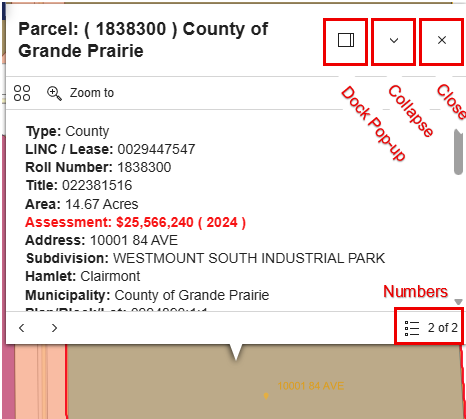
Information about a feature (attributes) are available in a pop-up by clicking on a feature in the map, such as a road, parcel, or disposition.
Not all map layers have pop-ups enabled. Any pop-up appears only when the layer is turned on (visible).
Press the dock button to move the pop-up so it does not cover the feature of interest.
Multiple results may be returned if the feature clicked overlaps other features.
- The numbers in the bottom right corner of the pop-up indicate other feature information is available.
- Use the arrows to move between the features. Or click the numbers and select the feature wanted.